
A Lock Data card will collect the information on the lock. Once you have tapped the card on the lock, place it back on the encoder to read the lock information.
- Place an empty card on the encoder
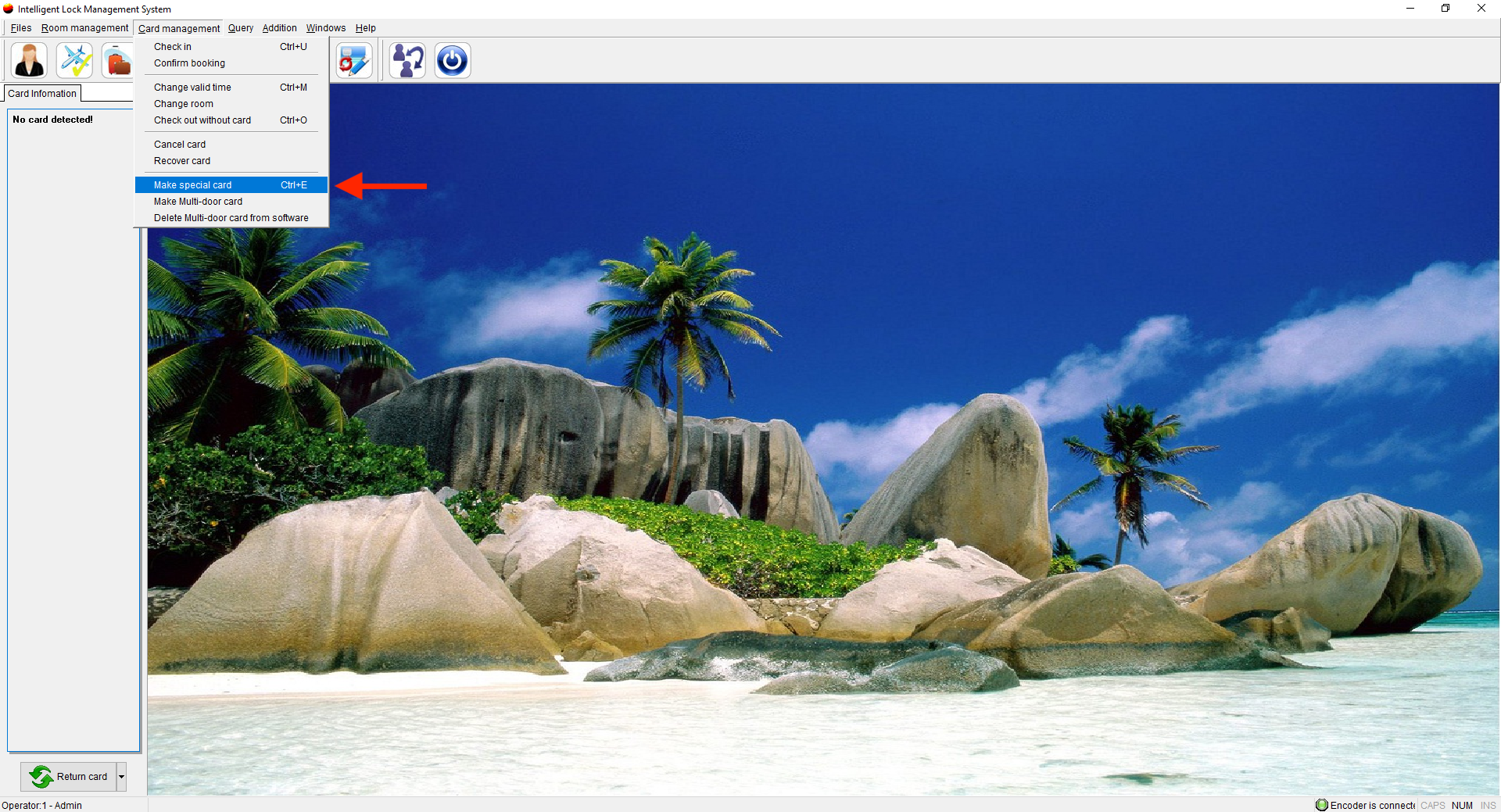
- Click Card Management and select Make Special Card
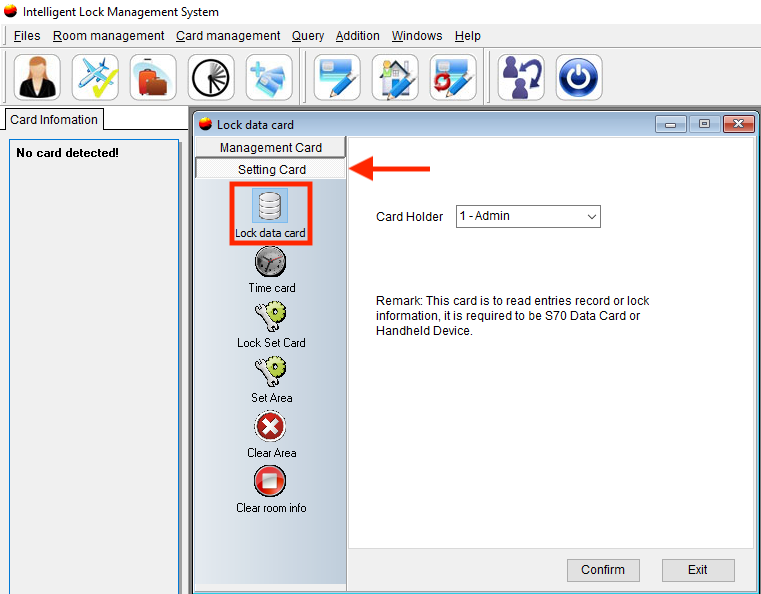
- Select Setting Card and click Lock Data Card
- Select the cardholder
- Then click Confirm
- Take this newly created card to the lock and hold it against the light until the light turns blue
- Return the card to the encoder and read the information on the lefthand side of the screen