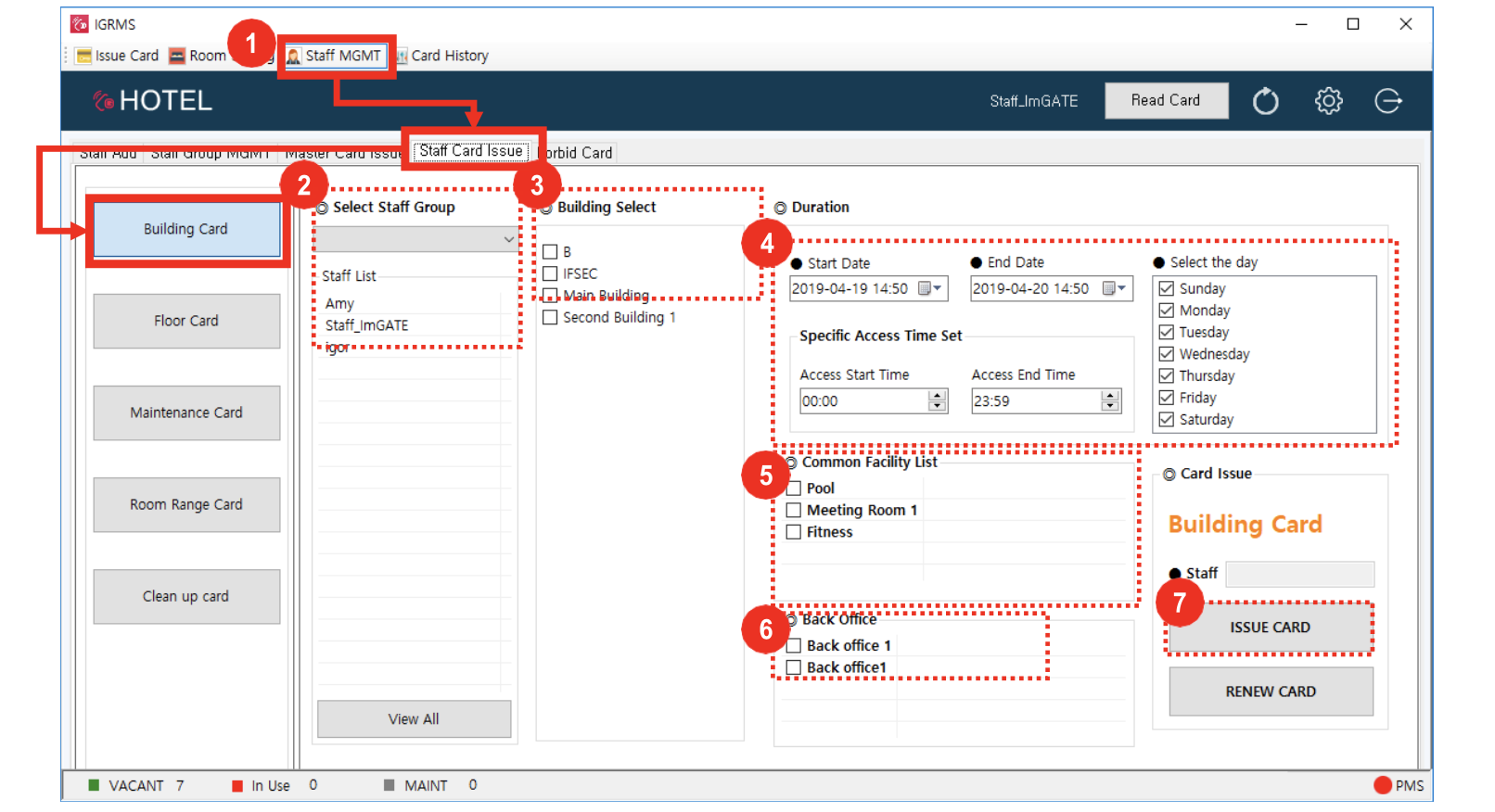
- Staff MGMT → Staff Card Issue → Building Card
- Select Staff Group and pick one staff from the Staff list (one person)
- Select building from “Building Select” (multiple select is available)
- Select the card available day/time
- Select common facilities to authorize access
- Select Back Office to authorize access
- Click the [Issue card] button