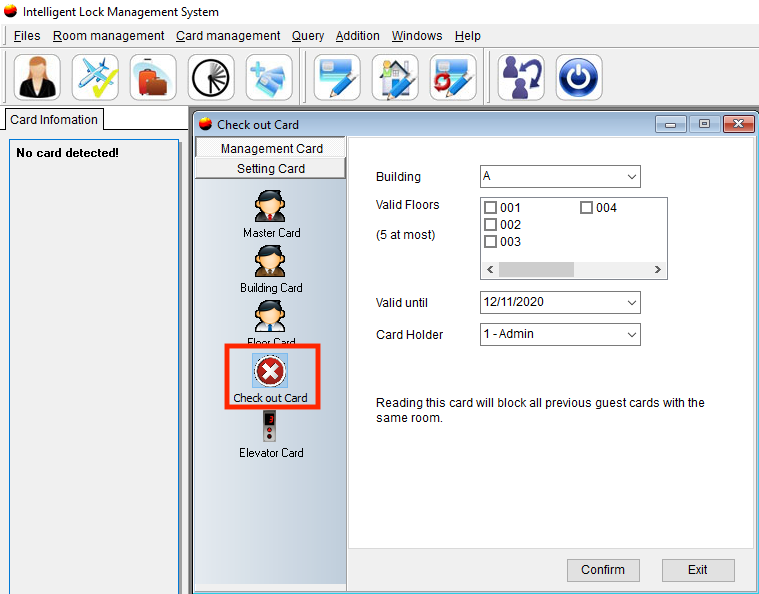
This card stops all previous guest cards from opening the lock.
With a Stop Access Card, Guest cards can be blocked easily without returning the card from the guest. Reading the Stop Access Card, all previous Guest Cards will be invalid.
Working principle: The locks remember the latest time of the Guest Card only, blocking all previous guest cards. Reading the Stop Access Card would update the lock time to 1min later than the newest guest card time. For example, the check-in time of the latest guest card is 8:30 pm. After reading the Stop Access Card, the lock time will become 8:31 pm, then 8:30 pm guest card cannot open the lock.
You will need to create the Stop Access Card and then go to the specific lock and tap this card to the lock to block all other guest cards.
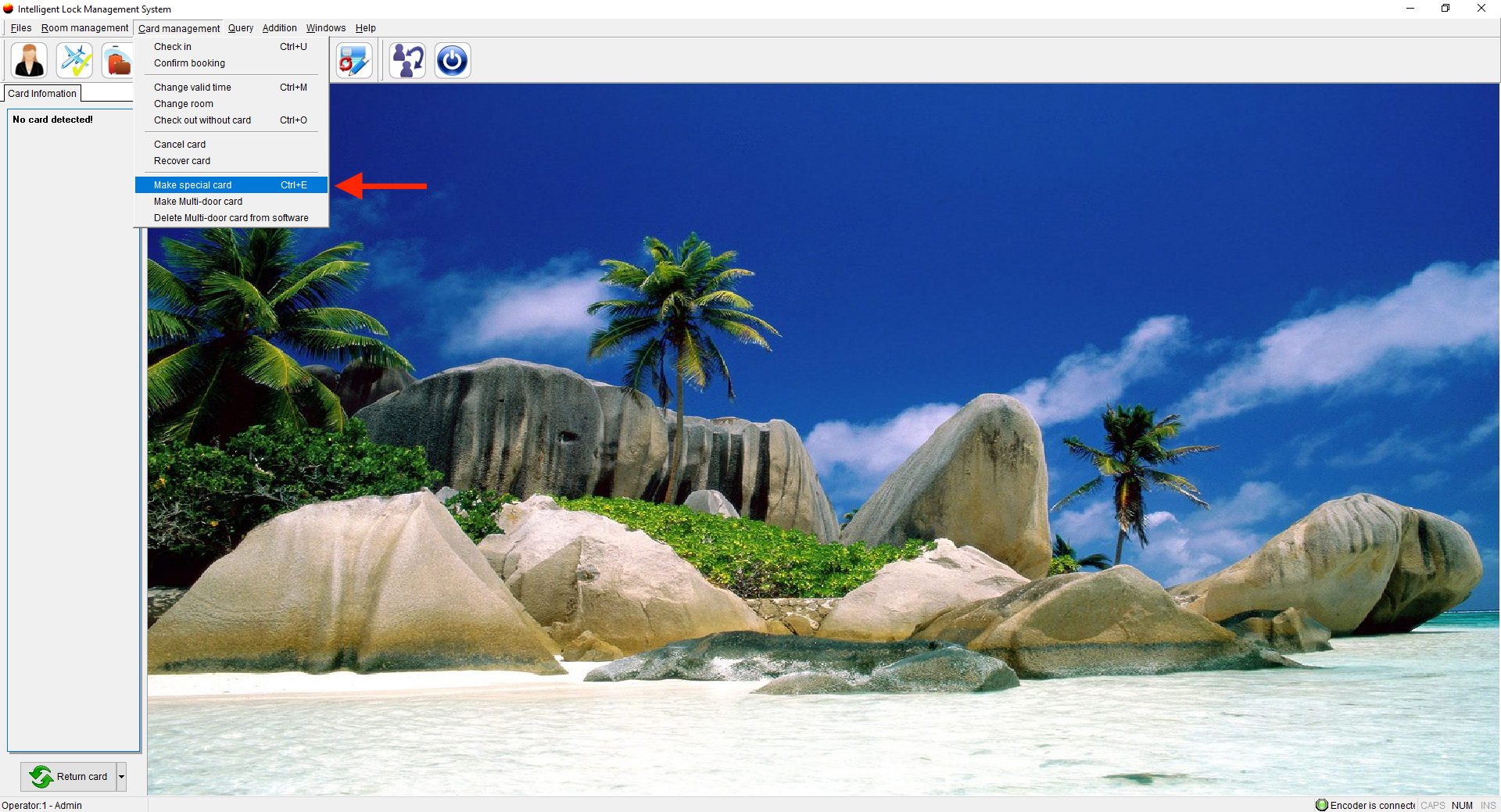
- Put a card on the encoder, go to Card Management, and select Make Special Card.
- Select Check Out Card (Stop Access Card).
- Select the building where the room is located
- Select the floor on which the room is located
- Select a valid until date (if this is just for 1 room only choose the date for one day)
- Select the cardholder
- Select Confirm