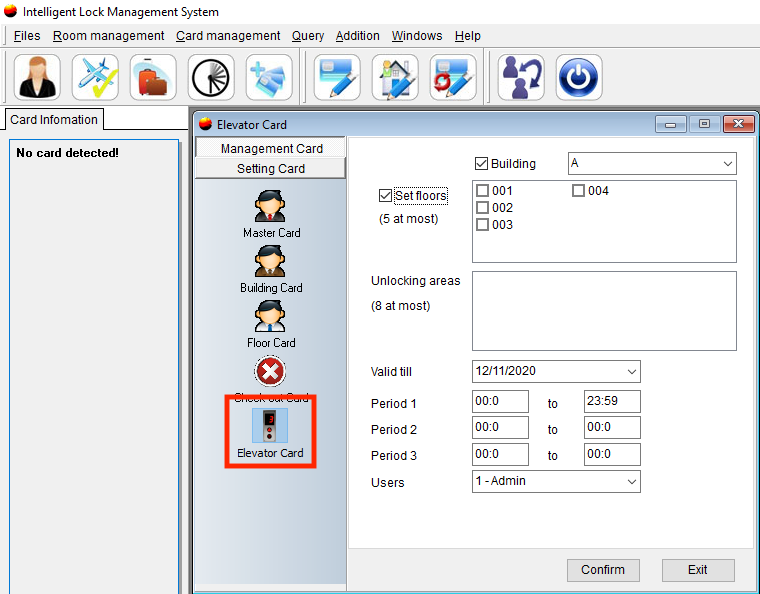
An Elevator Card specifically provides access into an elevator equipped with a lock and any floors that are managed in conjunction with that elevator. It does not allow access into rooms or other locked areas.
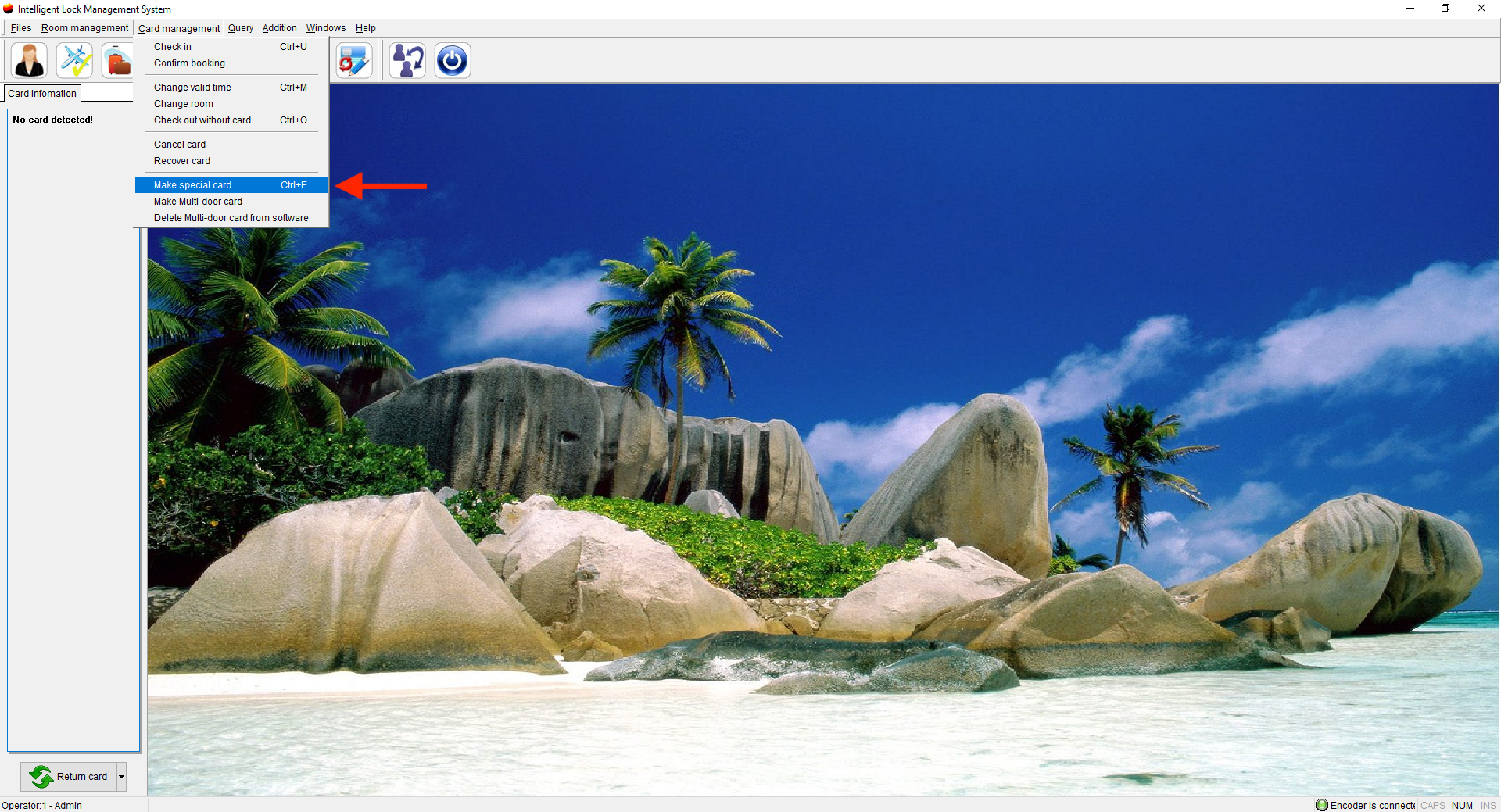
- Put a card on the encoder, go to Card Management, and Make Special card.
- Select Elevator Card and
- Choose the Building
- Select the appropriate floors.
- Select the Valid until date ( We suggest not creating these cards for a long period of time in case the key is lost)
- Select the periods the card will be valid (You can add 3 periods of time. For example, 9 am - 12 pm or just leave them blank and they will be available for all time periods)
- Select the Users
- Select Confirm