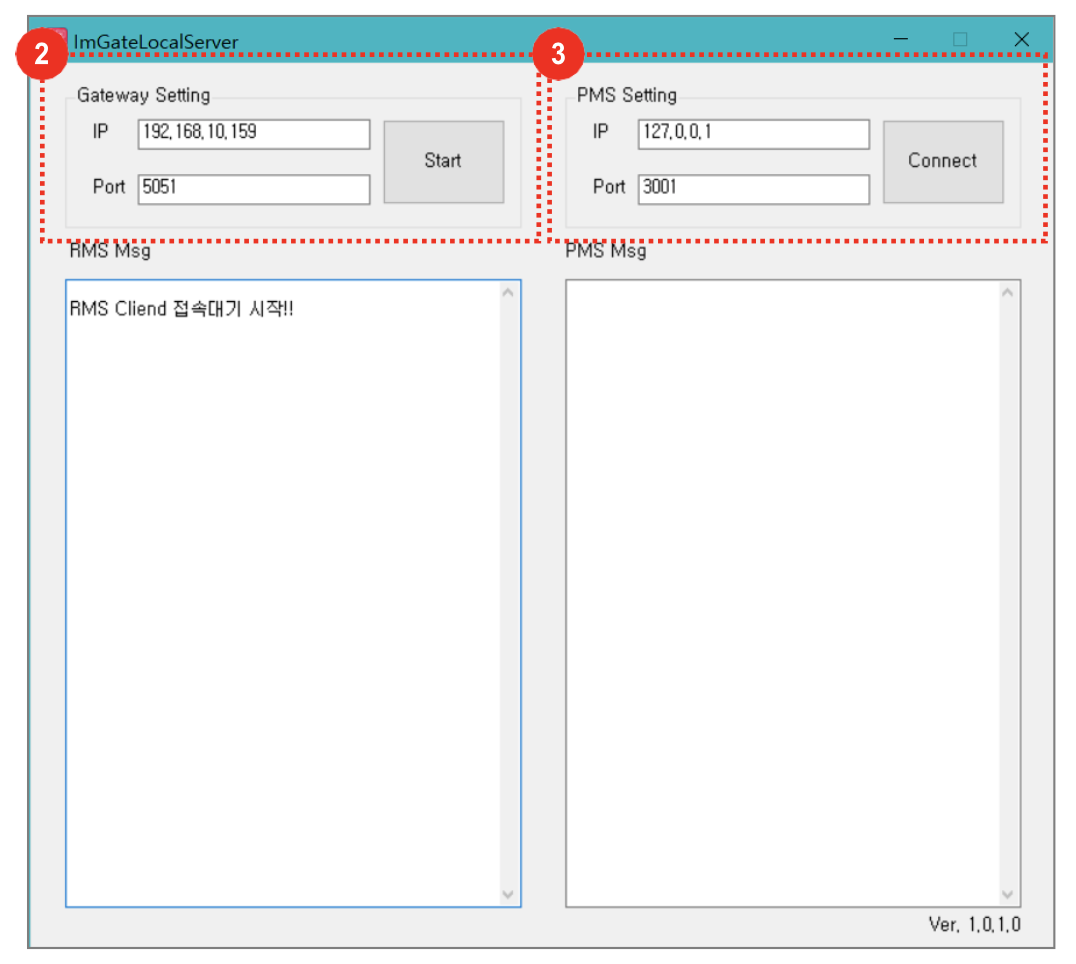
- Turn on the ImGATE Gateway file
- Gateway Setting: Connection between IGRMS and Gateway (Type in IGRMS menu IP and Port number.)
- PMS Setting: Connection between Gateway and PMS
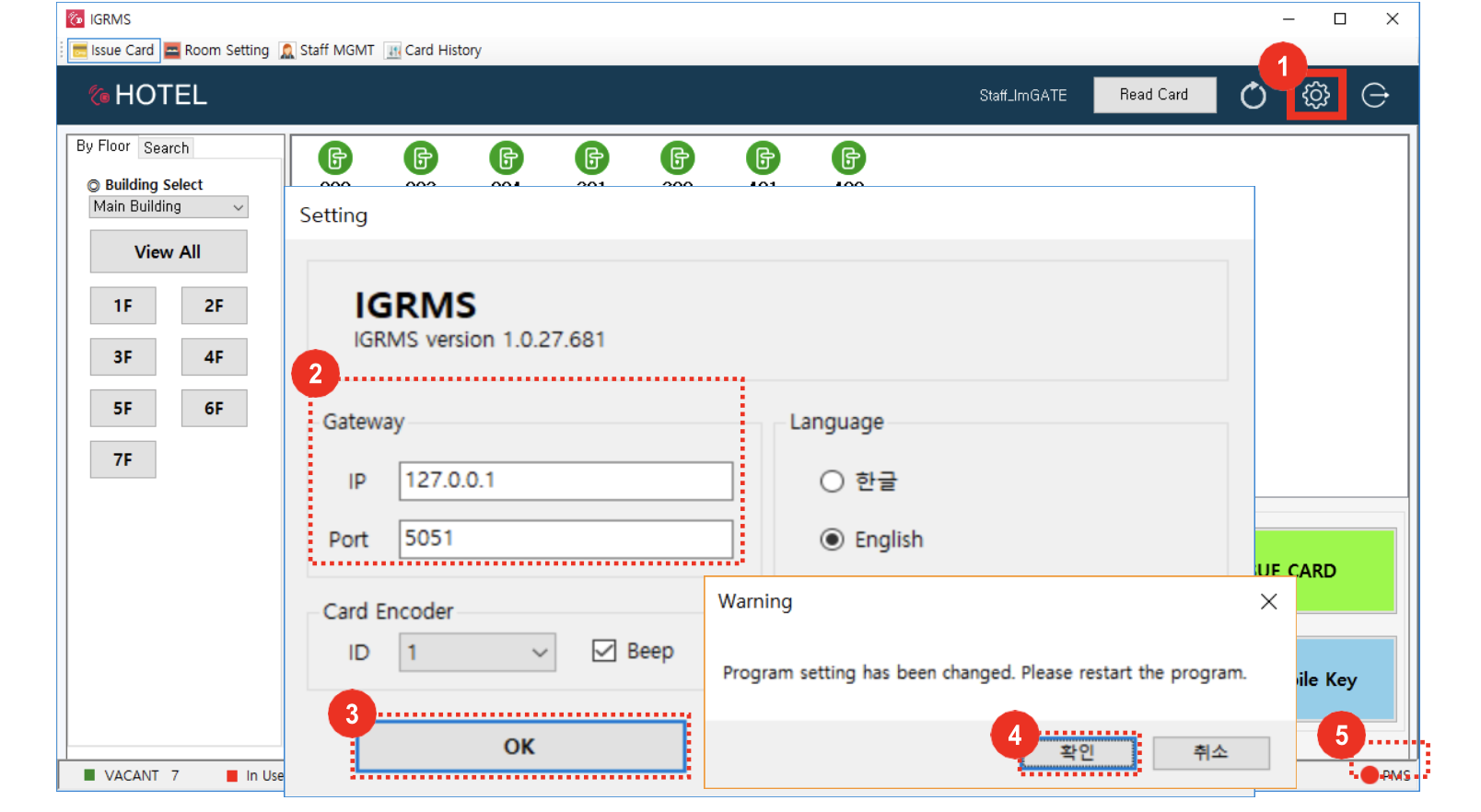
- Click IGRMS settings icon in the top right corner (seen above outlined in red)
- Gateway setting: Input IP and Port number checked in Gateway
- Click [OK] button
- Click [OK] button on setting change Pop-up and the program will be restarted
- PMS connection status: red(disconnect), green(connected)