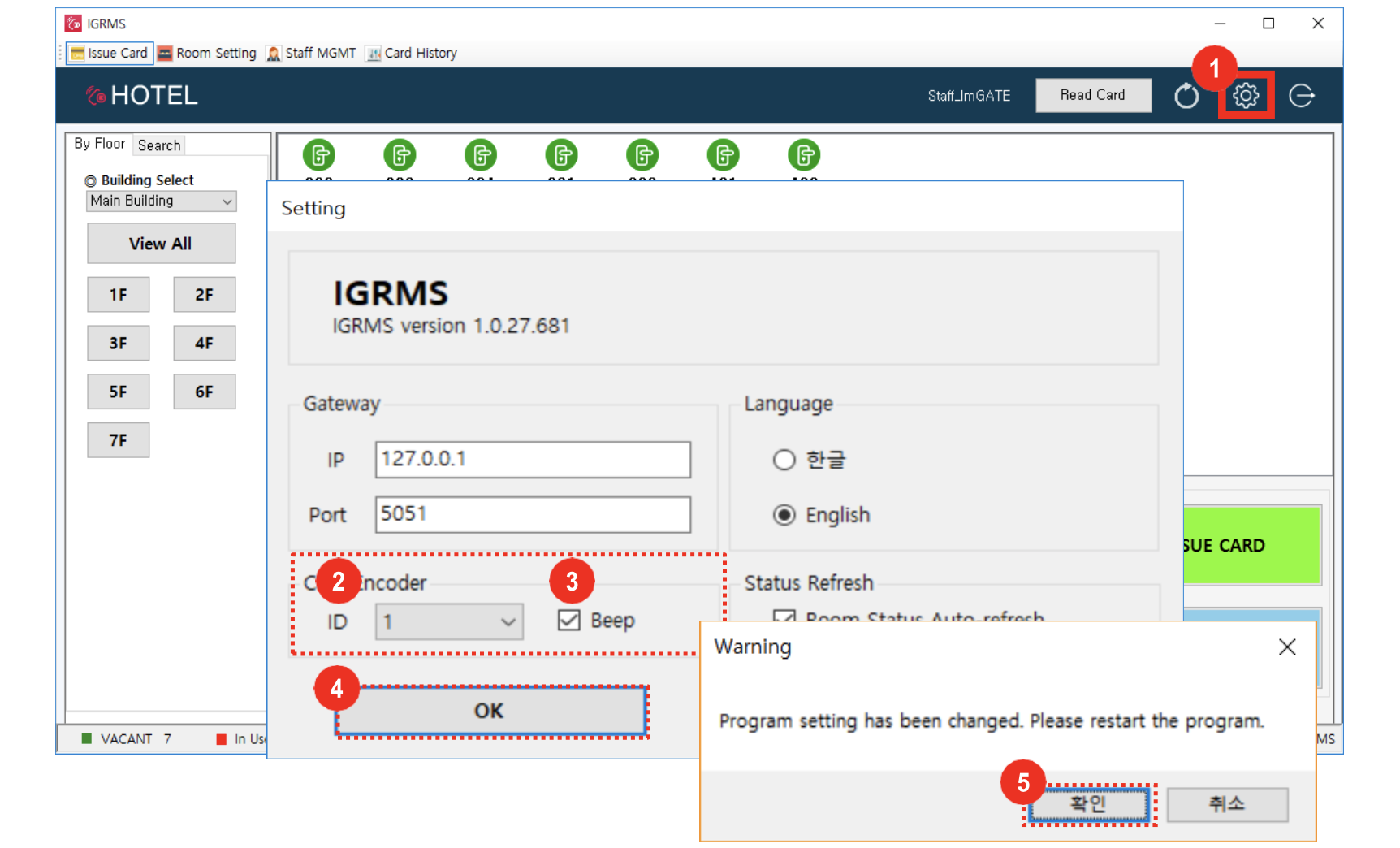
- Click the IGRMS settings icon
- If you use IGRMS on more than 2 PC set different encoder ID to differentiate PC.
- If you check to turn off sound it won’t sound.
- Click [OK] button
- Click [OK] button on setting change Pop-up and program will be restarted. Log In again.