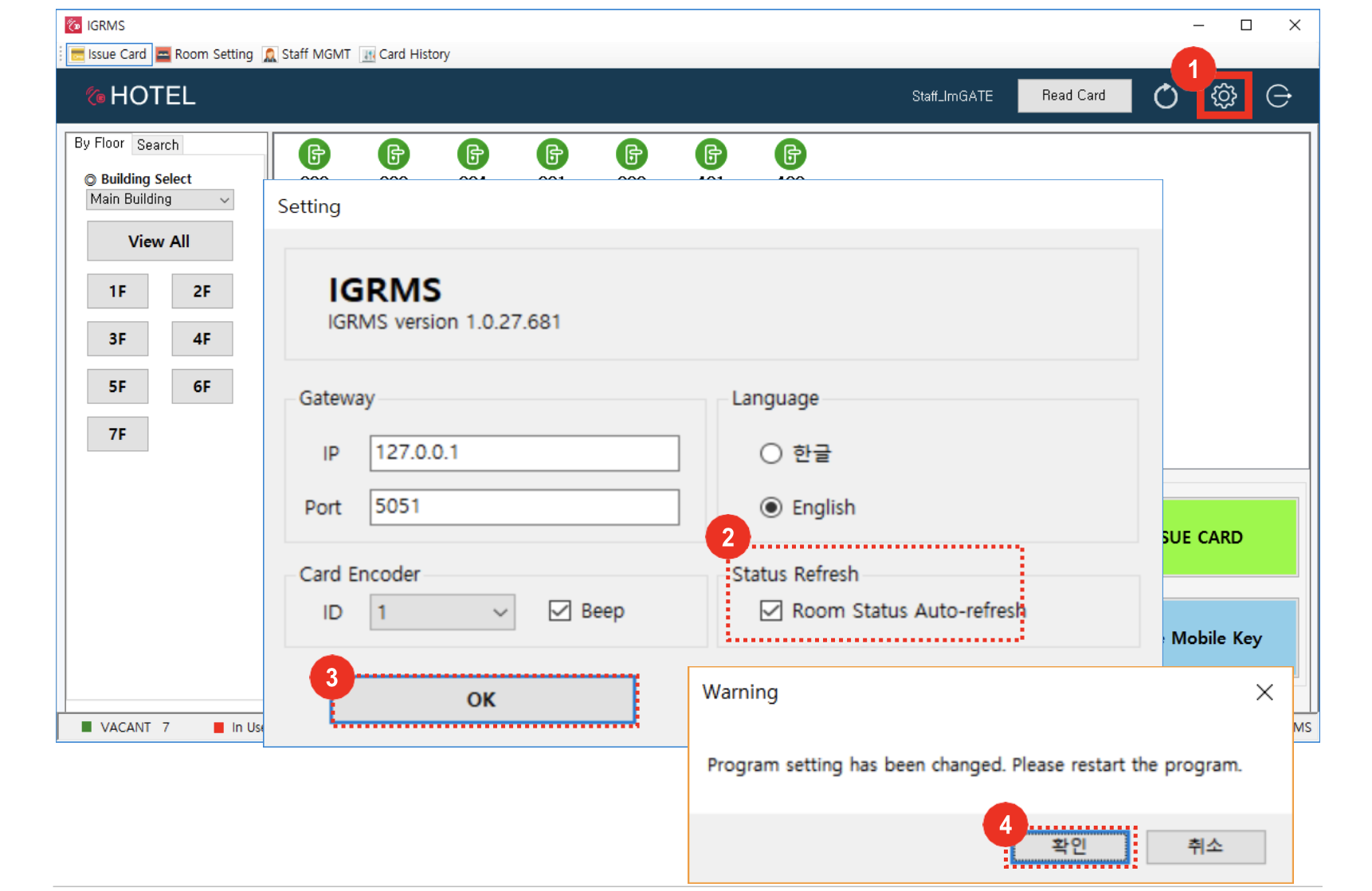
- Click the IGRMS settings icon
- Check Room Status Auto-Refresh
- Click the [OK] button
- Click the [OK] button on the setting change Pop-up and the program will be restarted. Log In again.
*If you set room status auto-refresh, room status data will be updated automatically every 2 minutes. When room Check out time is over, room status automatically will be changed to vacant room.