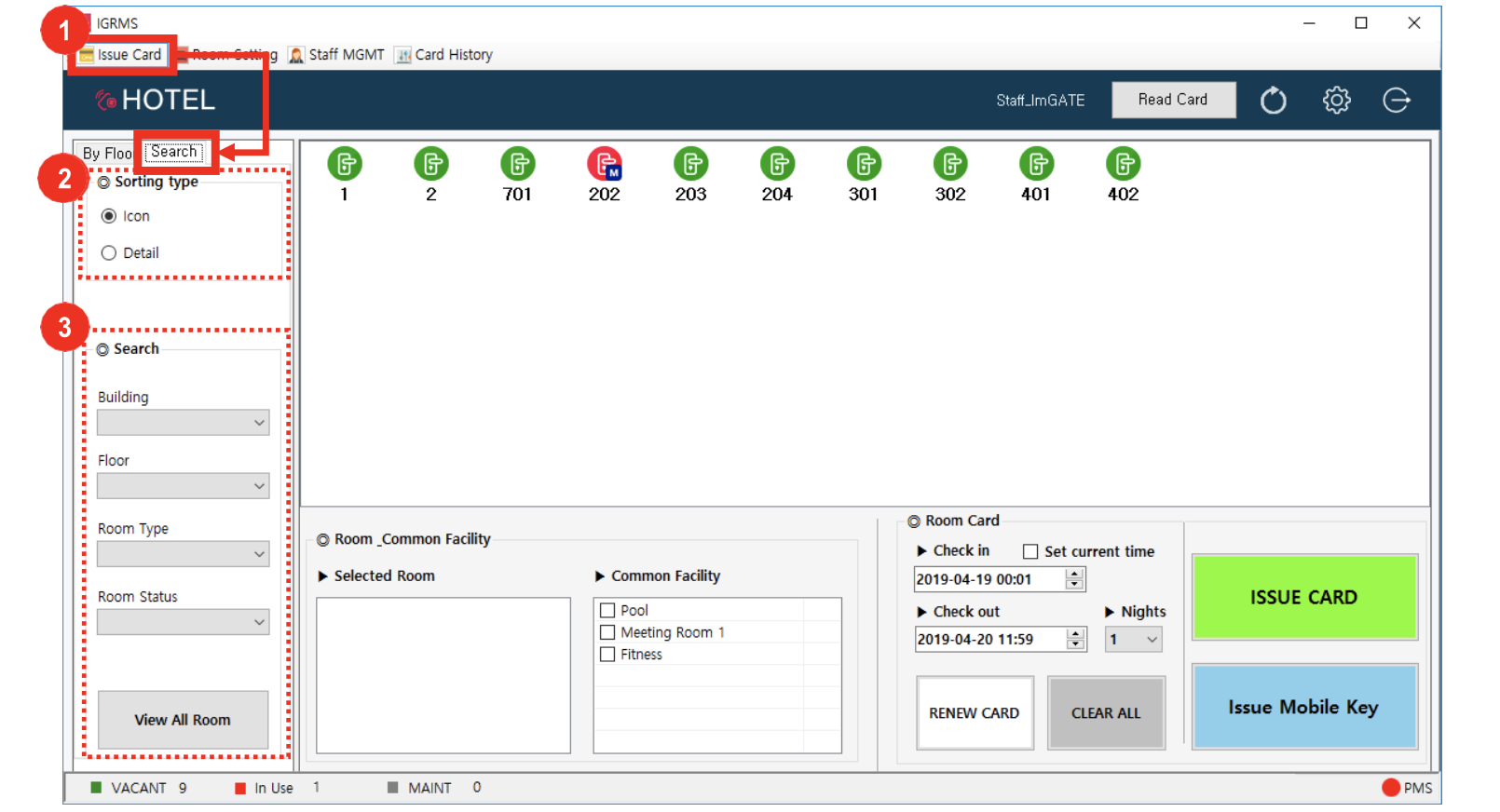
- Click Issue Card → Search
- Select Sorting Type (Icon or Detail)
Icon display example
Detail display example
- Optional - Select additional parameters to narrow down Search:
- Building
- Floor
- Room Type
- Room status
- To switch back to a broad room status view, click View All Room at the bottom left-hand side of the screen