
How to Add Building Information
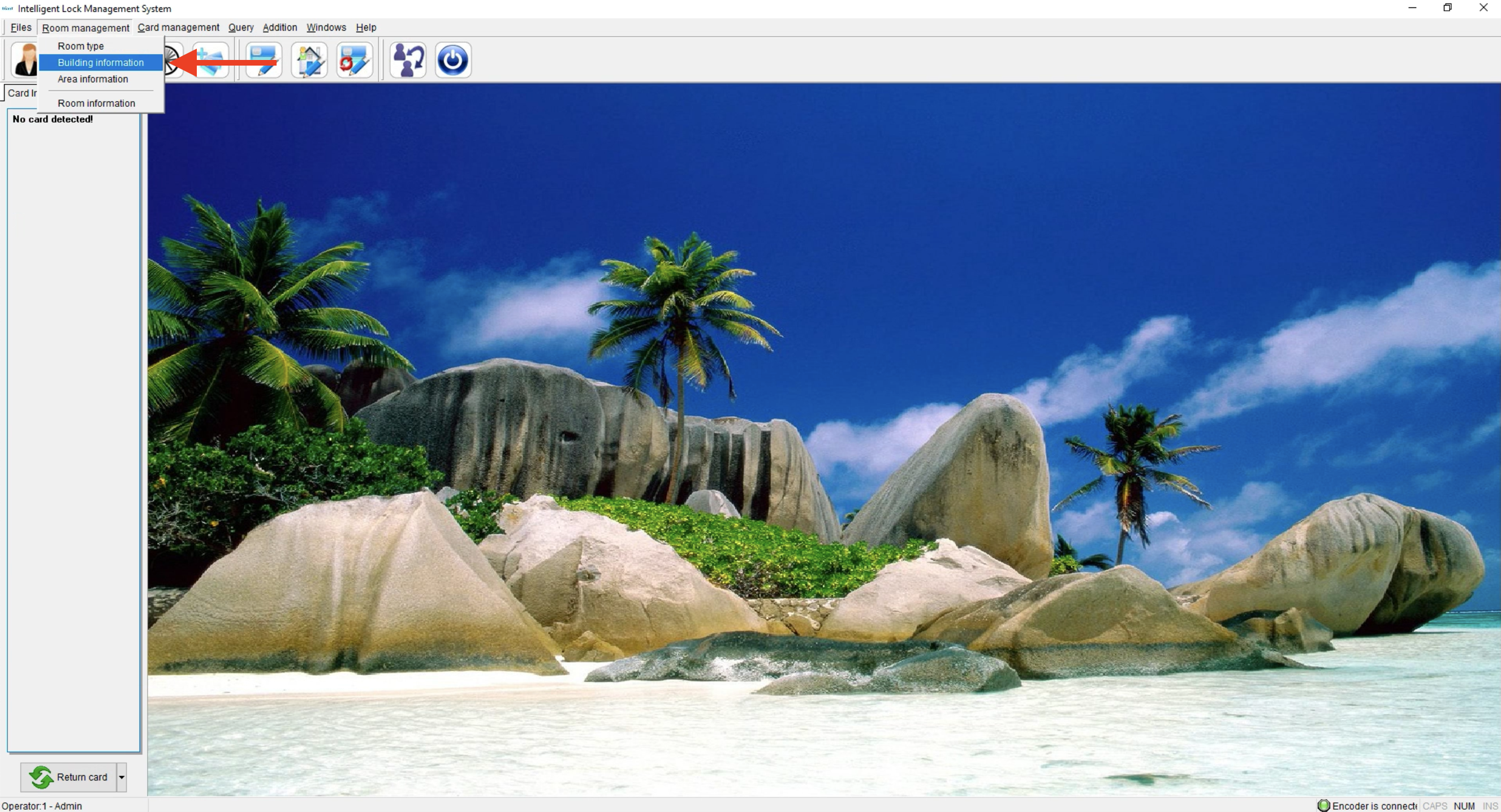
- Click on Room Management and select Building Information
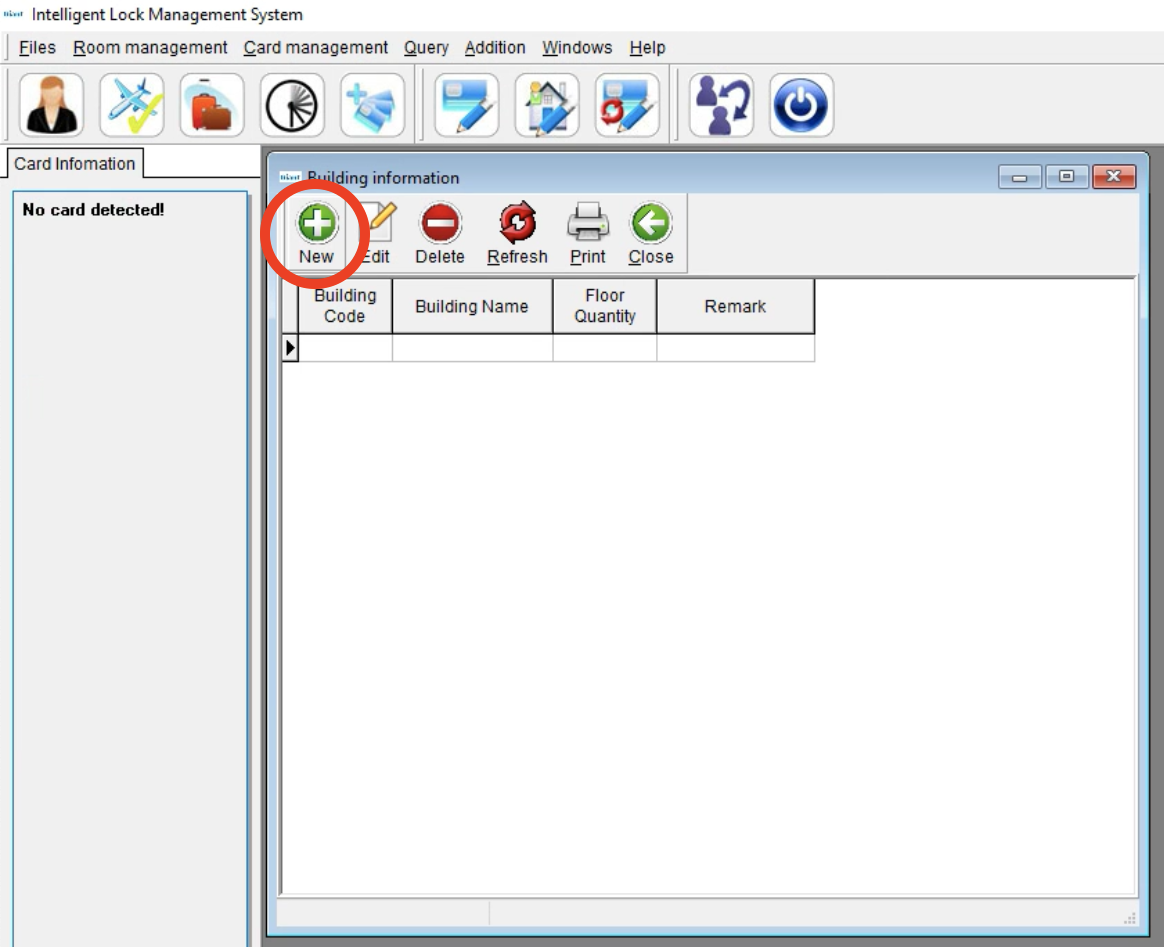
- Once the new window opens, Click New
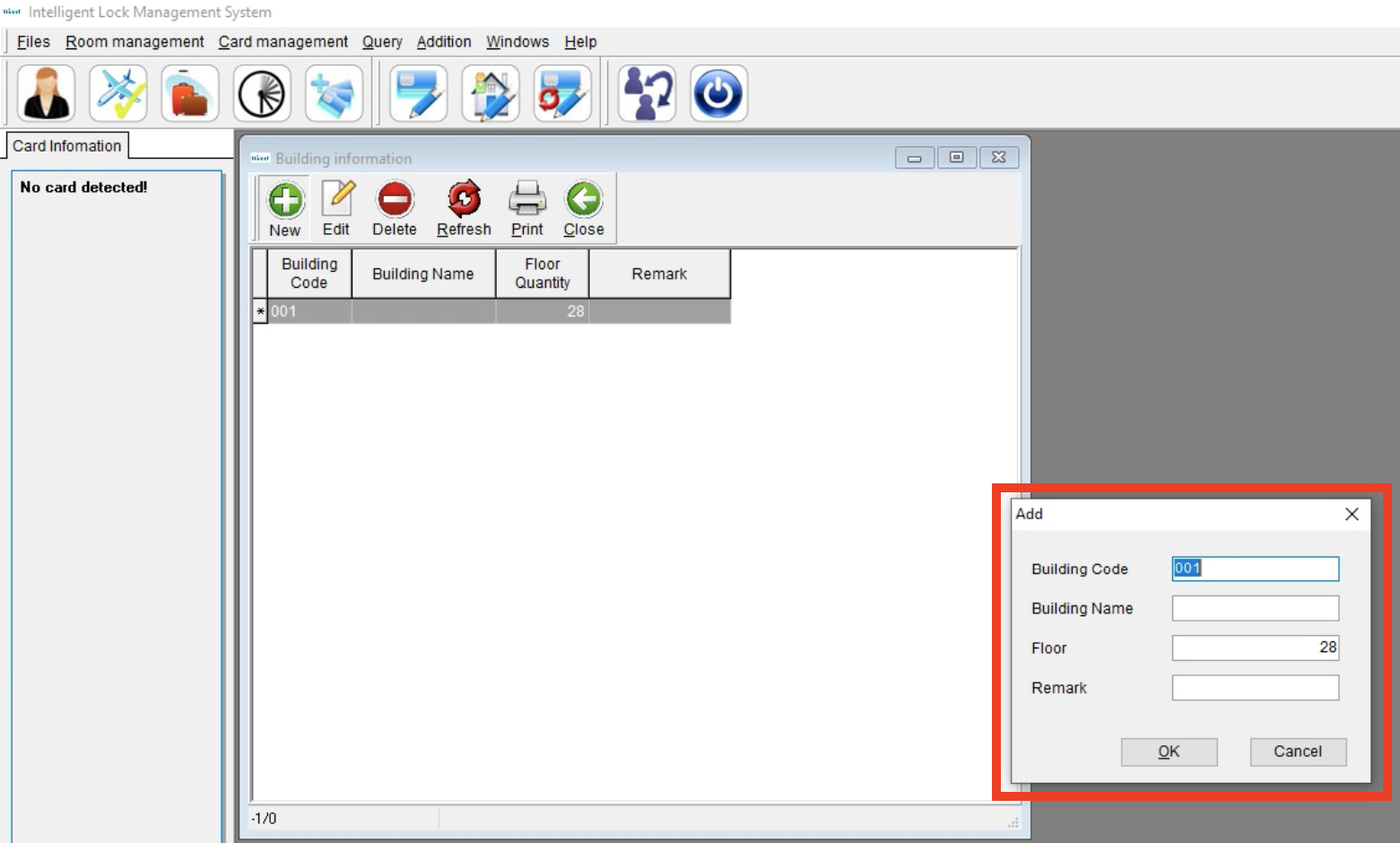
- Add the Building Information
- Building Code, Building Name, Floor Number, and Remark if needed.
- Click OK and add additional buildings as needed
How to Edit a Building
- Click on Room Management and select Building Information
- Once the new window opens, choose the Building and click Edit
- From here you can edit the Building Code, Building Name, Floor and Remark
- Click OK
How to Delete a Building
- Click on Room Management and select Building Information
- Once the new window opens, click on the Building and click Delete
- If this Building is linked to Rooms and Room Types under Room information, then the Building cannot be deleted as shown in this pop-up message.
- If the Building is not linked to any Rooms or Room Types then click Yes