
How to Add Area Information
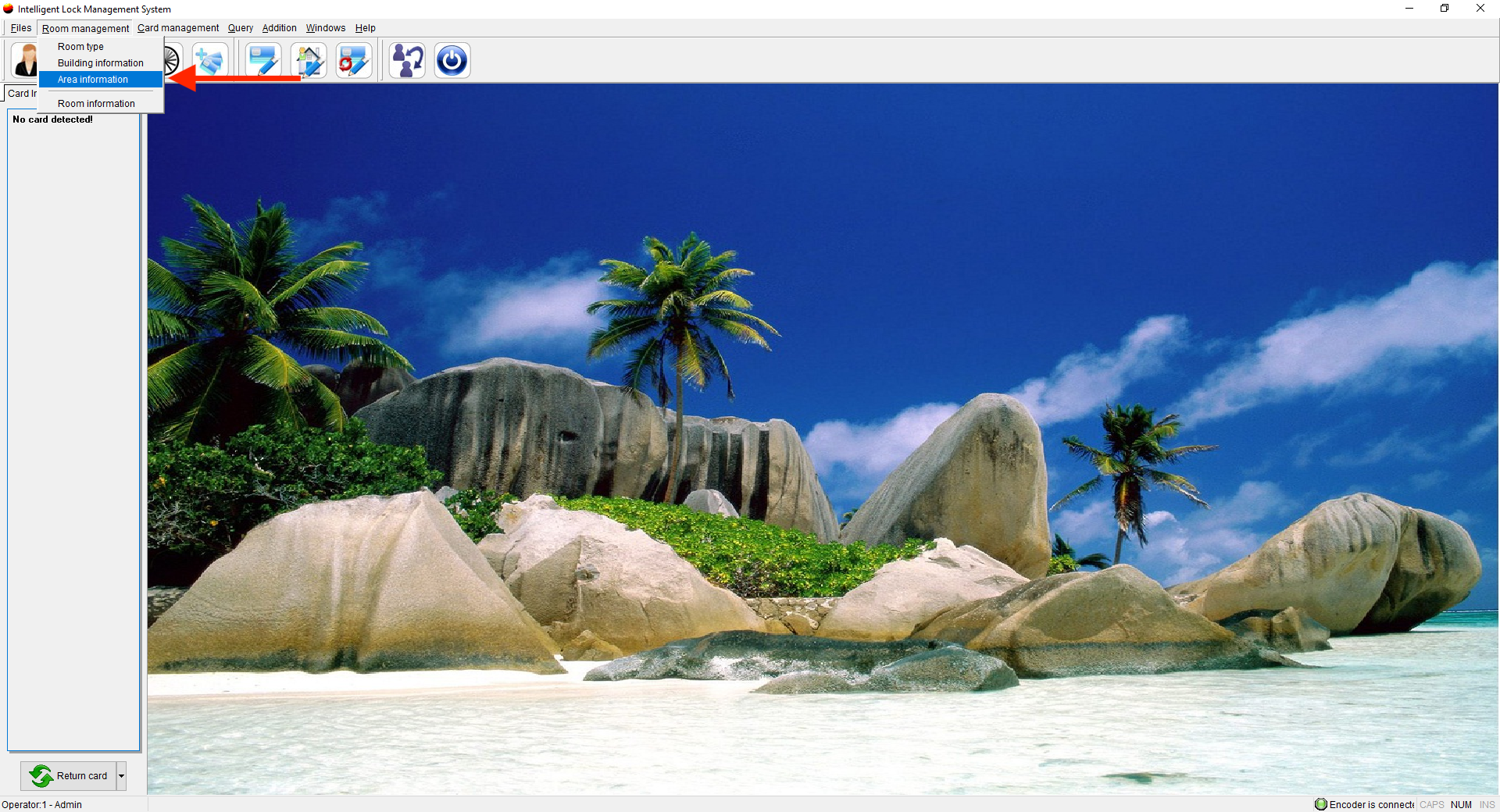
- Click on Room Management and Select Area Information
- Once the new window opens, Click New
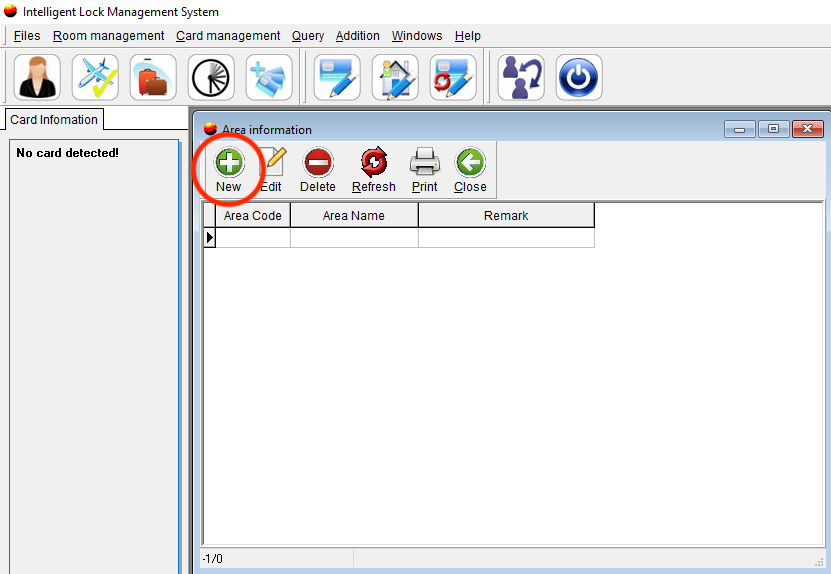
- Add areas such as gym, pool, and conference/meeting rooms
- Click OK and add additional areas as needed
How to Edit Area Infomation
- Click on Room Management and Select Area Information
- Once the new window opens, choose the Area and click Edit
- From here you can edit the Area Name and Remark
- Click OK
How to Delete an Area
- Click on Room Management and Select Area Information
- Once the new window opens, choose the Area and click Delete
- Click Yes to Delete